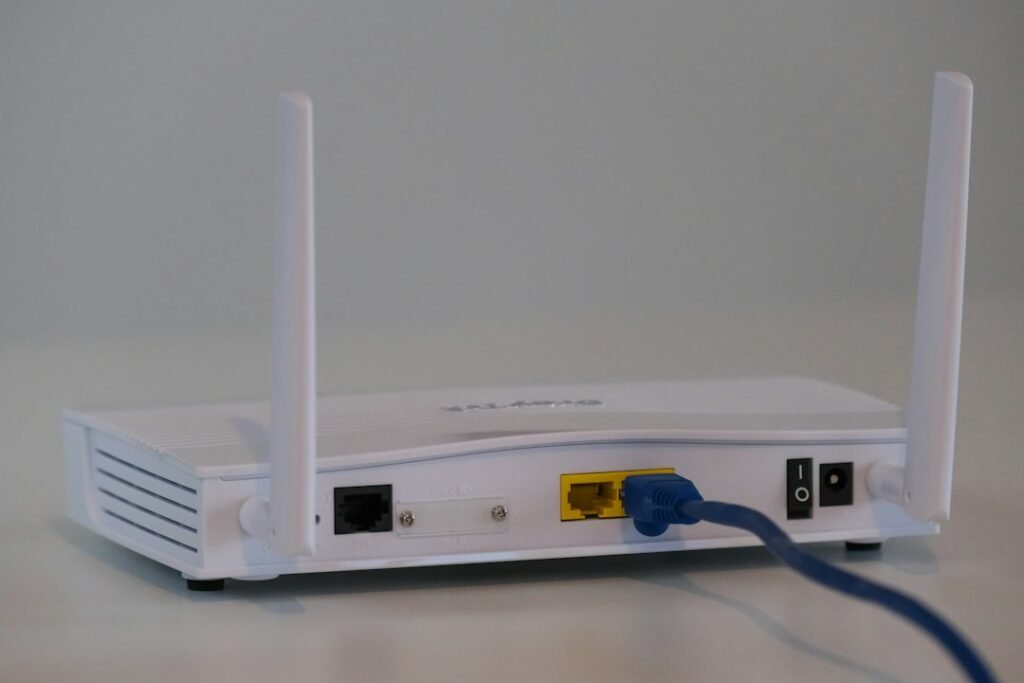
Quick answer: Wi‑Fi 7 is the better long-term wireless standard, but many homes with a good Wi‑Fi 6E network do not need to upgrade immediately. Wi‑Fi 7 adds technologies such as 320 MHz channels, Multi-Link Operation (MLO) and 4K QAM, which can increase throughput, reduce latency and improve reliability when both the router and client support them. The biggest gains appear in new multi-gigabit networks, crowded high-performance homes and businesses replacing older infrastructure—not in every ordinary internet connection.
This is a research-based buying guide, not a lab benchmark. Real wireless performance depends on device radios, router design, channel availability, distance, walls, interference, region and internet speed. We focus on what the standards enable and how to decide whether the upgrade solves a real bottleneck.
Affiliate disclosure: this article contains an Amazon Associate link. As an Amazon Associate, Vector Insight Global earns from qualifying purchases. The link is marked sponsored and does not change the technical criteria in this guide.
Wi‑Fi 7 is now a real upgrade cycle, not a future concept
Wi‑Fi 7 products first reached the market before many users had even adopted Wi‑Fi 6E, but the 2026 market looks different. IDC reported that Wi‑Fi 7 accounted for 44.5% of enterprise dependent access-point revenue in the first quarter of 2026, up sharply from 11.8% a year earlier. By the second quarter, IDC described Wi‑Fi 7 as the largest enterprise WLAN revenue category and a full replacement cycle driver.
Those figures are enterprise revenue, not household router share, but they matter because business adoption accelerates client support, silicon availability and the broader ecosystem. For a buyer in late 2026, Wi‑Fi 7 is mature enough to evaluate as a current standard rather than a speculative feature.
Sources: IDC Q1 2026 WLAN update and IDC Q2 2026 WLAN update.
Wi‑Fi 7 vs Wi‑Fi 6E: the simple difference
Wi‑Fi 6E extended Wi‑Fi 6 into the 6 GHz band. That gave compatible devices access to cleaner spectrum and more wide channels in regions where 6 GHz Wi‑Fi is permitted. Wi‑Fi 7 keeps 2.4 GHz, 5 GHz and 6 GHz support while adding mechanisms designed to use spectrum more efficiently and combine links more intelligently.
| Feature | Wi‑Fi 6E | Wi‑Fi 7 |
|---|---|---|
| 6 GHz support | Yes | Yes |
| Maximum channel width | 160 MHz | Up to 320 MHz where permitted |
| Modulation | Up to 1024-QAM | Up to 4K QAM |
| Multi-Link Operation | No | Yes |
| Main benefit | Cleaner 6 GHz spectrum | Higher capacity, lower latency potential and more flexible links |
| Best reason to buy in 2026 | Value if devices are mostly 6E and pricing is strong | New premium network or long replacement cycle |
What 320 MHz channels actually mean
Wi‑Fi 7 can use channels up to 320 MHz wide in the 6 GHz band in countries that make the necessary spectrum available. Wi‑Fi Alliance describes these ultra-wide channels as double the widest channel size used by Wi‑Fi 6/6E, enabling higher throughput for compatible devices.
That does not mean every Wi‑Fi 7 connection will use 320 MHz. Channel availability is regional, routers may choose narrower channels, and client devices need compatible radios. Wider channels can also be less practical when spectrum is fragmented or neighboring networks create contention.
Official feature source: Wi‑Fi Alliance Wi‑Fi CERTIFIED 7 announcement.
Multi-Link Operation is the more interesting Wi‑Fi 7 feature
Multi-Link Operation allows compatible devices to use multiple links across bands in a coordinated way. Depending on implementation, that can improve throughput, reduce latency and make a connection more resilient when one band becomes busy.
This matters because wireless networking is not only about maximum speed. A video call can feel worse on a fast network with unstable latency than on a slower but consistent network. Gaming, cloud development, large sync jobs and multi-device households all benefit when the network can manage links more flexibly.
What 4K QAM changes
Wi‑Fi 7 increases modulation density to 4K QAM under favorable signal conditions. Wi‑Fi Alliance states that 4K QAM can provide a 20% higher transmission rate than 1024-QAM. The important qualification is favorable signal conditions. High-order modulation works best with a strong, clean signal. Through walls or at the edge of coverage, devices step down to more robust modes.
Why 6 GHz is still important
Both Wi‑Fi 6E and Wi‑Fi 7 can use the 6 GHz band where regulators allow it. The advantage is access to additional, less congested spectrum with room for wide channels. The disadvantage is physics: higher-frequency signals generally lose more strength through distance and walls than lower-frequency signals.
That means a 6 GHz network may be extremely fast in the same room and less impressive two floors away. Router placement and mesh design often matter more than the logo on the box.
Will Wi‑Fi 7 make your internet faster?
Only if Wi‑Fi is the bottleneck. If your broadband connection is 300 Mbps and your current Wi‑Fi already delivers close to that speed throughout the home, replacing the router with a multi-gigabit Wi‑Fi 7 system may not improve normal web browsing. The new router has more wireless capacity, but the internet pipe remains 300 Mbps.
Wi‑Fi 7 becomes more useful with gigabit or multi-gigabit internet, fast local network storage, large file transfers, multiple high-bandwidth devices, VR/AR or other latency-sensitive workloads.
Do your devices support Wi‑Fi 7?
A Wi‑Fi 7 router remains backward compatible with older Wi‑Fi generations, but an older client cannot magically gain Wi‑Fi 7 features. To benefit from MLO, 320 MHz channels or other Wi‑Fi 7 improvements, the phone, laptop or adapter also needs compatible hardware and software.
Before paying a premium, make a device inventory. Count how many important devices support Wi‑Fi 7, Wi‑Fi 6E, Wi‑Fi 6 or older standards. If nearly everything is Wi‑Fi 6, a premium Wi‑Fi 7 mesh may be future-proofing rather than an immediate performance upgrade.
Wi‑Fi 7 vs Wi‑Fi 6E for gaming
Gaming benefits more from low and consistent latency than from headline throughput. A Wi‑Fi 7 setup with MLO can improve reliability for compatible devices, but Ethernet remains the most predictable option for a stationary console or PC when wiring is practical.
If you cannot run Ethernet, prioritize router placement, strong signal and a clean channel before assuming a more expensive standard will solve every latency spike.
Wi‑Fi 7 vs Wi‑Fi 6E for creators and large file transfers
Creators moving large video projects between a laptop and NAS can benefit from faster wireless links, especially with multi-gigabit Ethernet backhaul on the router or access point. However, every link in the path matters: client radio, router, switch, NAS interface and storage speed.
A “10 Gbps” port on the router does not guarantee a 10 Gbps wireless file transfer. Wireless has protocol overhead and shared airtime, and storage devices may become the bottleneck first.
Wi‑Fi 7 vs Wi‑Fi 6E for a smart home
Most smart-home sensors do not need Wi‑Fi 7. Many intentionally use 2.4 GHz for range and power efficiency. The value of a newer router is often better handling of a large device population, not faster bandwidth to a light bulb.
Keep separate concerns in mind: IoT compatibility, security updates, network isolation and reliable coverage may matter more than peak speed.
Should you buy a mesh Wi‑Fi 7 system?
Mesh is useful when one router cannot cover the home reliably. A Wi‑Fi 7 mesh can use newer link technologies and high-capacity backhaul, but node placement is still critical. Placing a satellite where the signal is already poor gives it a weak upstream connection.
For best results, use wired Ethernet backhaul when possible. If you rely on wireless backhaul, select a system designed for the size and construction of your home rather than simply buying the model with the largest theoretical number on the box.
When Wi‑Fi 6E is still the smarter buy
Wi‑Fi 6E remains attractive when you already have several 6 GHz-capable devices and can buy a quality router or mesh system at a significant discount. A mature 6E setup can provide excellent performance in apartments, offices and homes where 6 GHz coverage is well planned.
Choose 6E when budget matters and you are unlikely to replace client devices soon. Choose Wi‑Fi 7 when you are building a high-end network today, expect to keep the router for several years, have multi-gigabit service or already own Wi‑Fi 7 clients.
When you should upgrade to Wi‑Fi 7
- Your current router is Wi‑Fi 5 or older.
- You have gigabit or multi-gigabit internet and cannot use the capacity wirelessly.
- You are buying new Wi‑Fi 7 laptops or phones.
- You move large files over the local network.
- Your current network has latency or capacity problems despite good placement.
- You are replacing a business WLAN and want a multi-year lifecycle.
When you should wait
- Your Wi‑Fi 6E network already covers the property well.
- Your internet connection is much slower than your current Wi‑Fi.
- Almost none of your devices support Wi‑Fi 7.
- Your real problem is poor router placement or thick walls.
- You would need to sacrifice router quality just to afford the newer standard.
A Wi‑Fi 7 router buying checklist
- Certification: prefer Wi‑Fi CERTIFIED products when available.
- Band support: verify whether the router is dual-band, tri-band or quad-band and whether 6 GHz is available in your region.
- Ethernet ports: multi-gigabit internet needs appropriate WAN and LAN ports.
- Mesh/backhaul: check whether wired backhaul is supported and practical.
- Client support: confirm your key devices actually support Wi‑Fi 7 features.
- Security updates: choose a vendor with a clear firmware-support history.
- Management: evaluate parental controls, guest networking, VLAN options or business features you actually need.
- Total system price: a three-node mesh is a different purchase from a single router.
If you want to compare currently available routers, you can check current Wi‑Fi router availability on Amazon India. Verify the exact model, certification, ports and regional radio support before purchasing.
Wi‑Fi 7 and AI workflows
Cloud coding agents and AI services can generate large downloads, container images and repository sync activity, but AI workloads do not require Wi‑Fi 7 by definition. Network reliability matters more than the marketing category. Our AI coding agents comparison explains the software side, while our MCP guide covers tool connectivity for agents.
Related 2026 technology guides
For mobile hardware, see our Qi2 25W wireless charging guide. For local AI, see Small Language Models vs LLMs. If you publish or sell technology products online, our agentic commerce guide explains how AI shopping agents are changing discovery.
FAQ: Wi‑Fi 7 vs Wi‑Fi 6E
Is Wi‑Fi 7 faster than Wi‑Fi 6E?
Yes, Wi‑Fi 7 has a higher technical ceiling through features such as 320 MHz channels, 4K QAM and MLO. Actual speed depends on router, client, spectrum and signal conditions.
Does Wi‑Fi 7 use 6 GHz?
Yes, Wi‑Fi 7 can use 6 GHz as well as 5 GHz and 2.4 GHz. 6 GHz availability and allowed channel widths depend on regional regulation.
Can a Wi‑Fi 6E phone connect to a Wi‑Fi 7 router?
Yes. Wi‑Fi standards are designed for backward compatibility, but the phone will operate using the features it supports rather than gaining full Wi‑Fi 7 capabilities.
Do I need Wi‑Fi 7 for gigabit internet?
No. Wi‑Fi 6 and 6E can deliver very high speeds in suitable conditions. Wi‑Fi 7 offers more headroom and efficiency, especially for multi-gigabit networks and compatible clients.
Is Wi‑Fi 7 better for gaming?
It can reduce latency and improve reliability with compatible hardware, particularly through MLO, but wired Ethernet remains the most predictable connection for a fixed gaming device.
Is Wi‑Fi 6E obsolete in 2026?
No. It remains capable and can be excellent value. The decision depends on price, client support and how long you plan to keep the router.
Should I replace a good Wi‑Fi 6E mesh?
Usually only if you have a specific bottleneck, multiple Wi‑Fi 7 clients or a new multi-gigabit requirement. Upgrading solely for the label may produce little visible benefit.
Bottom line
Wi‑Fi 7 is the right target for a new premium network in 2026, especially when the router will remain in service for several years. Wi‑Fi 6E is still a sensible value choice for users with compatible 6 GHz devices and no multi-gigabit requirement. Diagnose your bottleneck first: coverage, client capability, internet speed, wired ports and placement often matter more than a generational number.
Sources and methodology
This guide uses Wi‑Fi Alliance feature definitions and 2026 market data from IDC. Key sources: Wi‑Fi Alliance Wi‑Fi CERTIFIED 7 features, IDC Q1 2026 and IDC Q2 2026. Device support and regional spectrum rules can change, so verify the exact router and country before buying.
Keep exploring Gadget Guides
 Gadget Guides
Best Magnetic Power Banks in 2026: 3 Practical Picks
Compare three 10,000mAh magnetic power banks for charging speed, portability and everyday use, with direct Amazon product links and buying advice.
 Gadget Guides
MacBook Air M4 for AI & Coding: Is 16GB Enough?
A practical MacBook Air M4 buying guide for AI-assisted work, coding and content creation, with direct Amazon links and accessory recommendations.