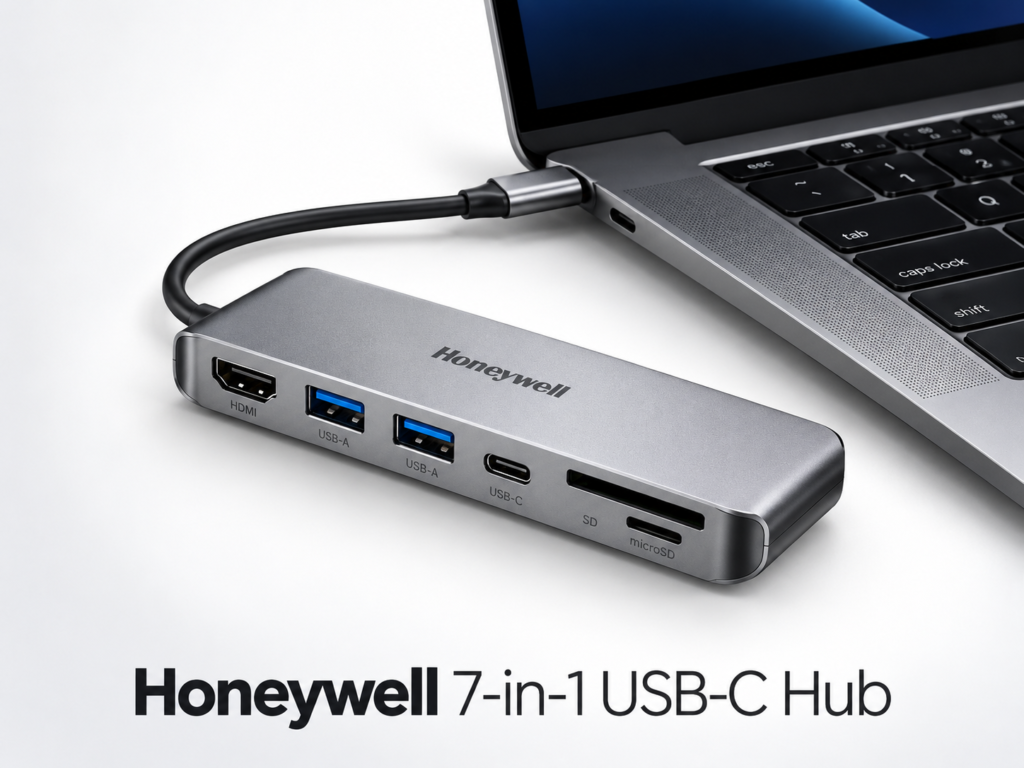
Quick answer: a 7-in-1 USB-C hub makes sense when your laptop has fast USB-C ports but you still need HDMI, USB-A, SD cards and charging through one cable. The key is not the number of ports—it is whether the hub supports the display resolution, data speed and power delivery your exact laptop needs.
Disclosure: As an Amazon Associate I earn from qualifying purchases. The Amazon link on this page is a paid affiliate link. This article is a research-based buying guide, not a claim of hands-on testing.
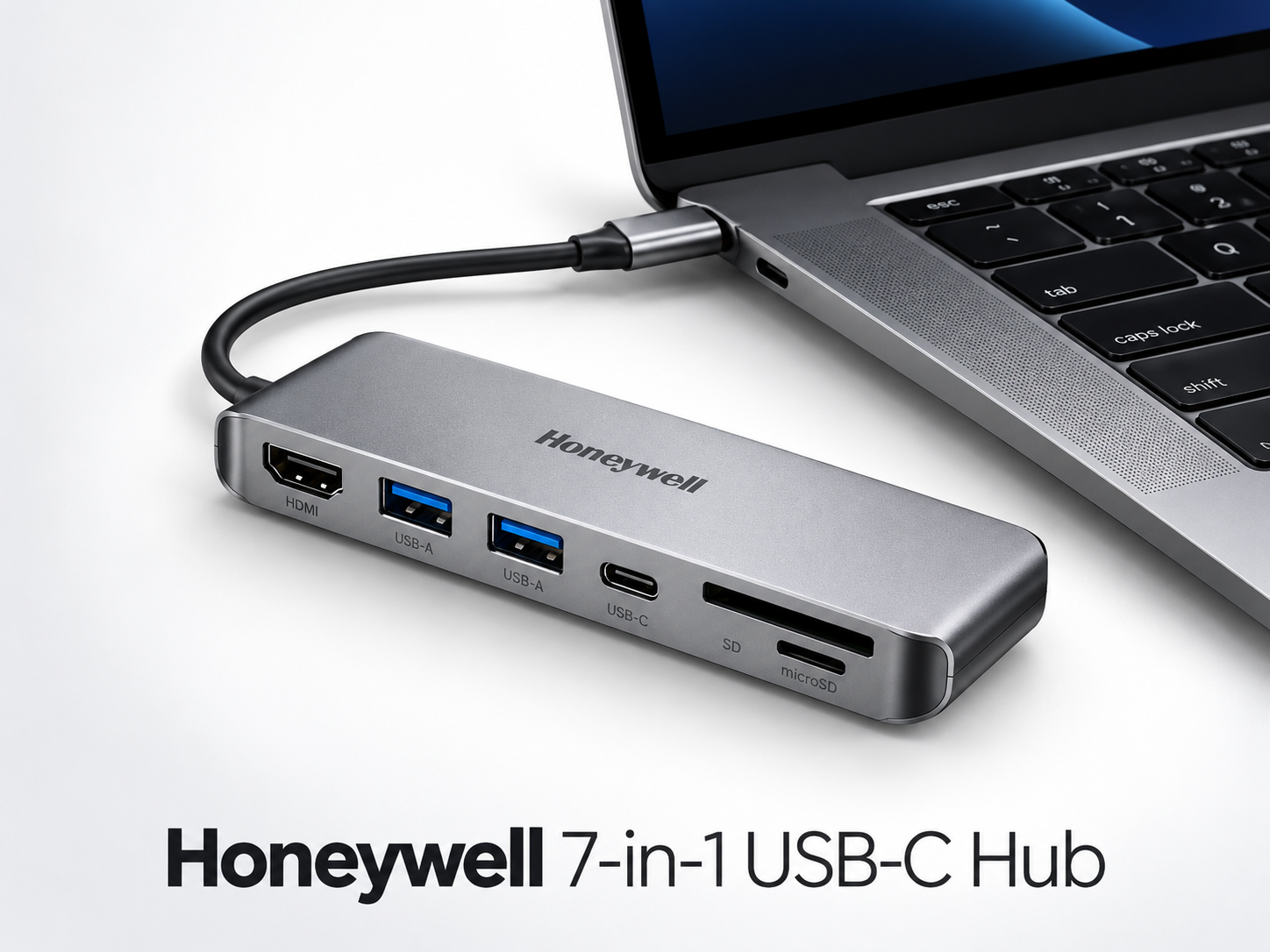
Featured option: Honeywell 7-in-1 Type-C Docking Station
Best for: laptop users who need HDMI, USB-A, SD/microSD and USB-C power delivery in a compact adapter.
Why a USB-C hub is often more useful than buying a laptop with every port
Thin laptops usually trade built-in ports for size and weight. That is not automatically a problem if your work is mostly wireless, but creators, photographers, developers and office users still connect monitors, storage drives, keyboards, card readers and older USB accessories.
A hub turns one compatible USB-C port into a small desktop connection point. The advantage is flexibility: leave the hub on a desk, plug in one cable and connect several accessories. The risk is assuming every USB-C port and every hub works the same way.
What the Honeywell 7-in-1 includes
This model combines a 4K-capable HDMI connection, USB-A ports, SD and microSD card slots and a USB-C Power Delivery input. That covers the most common creator and office needs in a compact form factor.
The practical use cases:
- Connect a laptop to a monitor or TV through HDMI.
- Use USB-A keyboards, mice, flash drives and older accessories.
- Import photos or video from SD and microSD cards.
- Pass charging power through the hub while other accessories stay connected.
View Honeywell 7-in-1 Type-C Hub on Amazon ↗
Port count can be misleading
“7-in-1” tells you how many functions are present, not how fast they are. A hub can have many ports but still share one upstream USB-C connection. When several high-bandwidth devices run at once, the laptop connection becomes the bottleneck.
That is why you should check three separate things: display capability, data-transfer speed and charging power.
HDMI: 4K support needs context
A hub may advertise 4K output, but the refresh rate matters. 4K at 30Hz feels very different from 4K at 60Hz when moving windows or scrolling. Your laptop’s USB-C port also needs the correct video-output capability.
If you plan to connect a high-refresh gaming monitor or multiple displays, a basic portable hub may not be enough. Thunderbolt or a more advanced docking station can be a better fit.
USB-C Power Delivery: 100W input does not mean your laptop receives 100W
Power Delivery pass-through has overhead. The hub itself needs some power, and the laptop only accepts the charging rate it supports. If a hub accepts a high-wattage adapter, the real power delivered downstream can still be lower.
For a MacBook Air or an ultrabook, that is usually manageable. For large gaming laptops or mobile workstations, USB-C charging may not replace the original high-power charger.
USB-A speed: check the exact port
Some multi-port hubs mix faster USB 3.x ports with slower USB 2.0 ports. That is fine for a keyboard or mouse but can noticeably slow a fast external SSD. Plug storage devices into the fastest available data port and reserve slower ports for low-bandwidth accessories.
SD and microSD: useful for creators, but not all readers are equally fast
A built-in card reader can remove a separate adapter from your bag. Photographers and video creators should still check the card standard and expected transfer rate if they work with large RAW files or high-bitrate video.
MacBook Air M4 pairing
The MacBook Air M4 is a good example of why hubs remain relevant. It is portable and powerful for cloud AI, coding and creator work, but many users still need HDMI, SD cards and USB-A.
Read our MacBook Air M4 for AI, Coding & Content Creation guide for the laptop side of this setup.
For a broader port-by-port explanation before you buy, see our USB-C hubs and docks explained guide.
Before buying: compatibility checklist
- Video: confirm your laptop’s USB-C port supports display output.
- Resolution: check the HDMI resolution and refresh rate you actually need.
- Charging: compare your laptop charger’s wattage with the hub’s PD capability.
- Data: identify which USB ports are high-speed and which are intended for peripherals.
- Cards: verify SD/microSD support if card importing is important.
- Case clearance: make sure thick laptop cases do not interfere with a short hub connector.
- Heat: compact hubs can become warm under charging and data load; give them ventilation.
Who should buy a 7-in-1 hub?
- MacBook Air and ultrabook owners who need legacy ports.
- Creators importing files from SD cards.
- Remote workers connecting a laptop to a monitor and keyboard.
- Students who want one adapter for presentations and accessories.
- Travellers who prefer one compact hub over several separate dongles.
Who should buy a full docking station instead?
If you need multiple high-resolution monitors, wired Ethernet at sustained high speed, several fast external drives, audio interfaces and many peripherals at the same time, a larger Thunderbolt or USB4 dock is often the better investment.
Bottom line
The Honeywell 7-in-1 is a practical category fit for users who need a portable mix of HDMI, USB, card-reader and charging functions. Do not buy it only because it says “7-in-1.” Match the display, charging and data requirements to your exact laptop first.
Check Honeywell 7-in-1 availability on Amazon ↗
Amazon affiliate disclosure: As an Amazon Associate I earn from qualifying purchases. Buying through our links does not increase the price you pay.
Keep exploring Gadget Guides
 Gadget Guides
Best Magnetic Power Banks in 2026: 3 Practical Picks
Compare three 10,000mAh magnetic power banks for charging speed, portability and everyday use, with direct Amazon product links and buying advice.
 Gadget Guides
MacBook Air M4 for AI & Coding: Is 16GB Enough?
A practical MacBook Air M4 buying guide for AI-assisted work, coding and content creation, with direct Amazon links and accessory recommendations.